
Most Google Maps scrapers return the same basic list: business name, phone, website and star rating. AI Google Maps lead generation adds a second pass that reads each business's website and pulls out who runs the place, how to email them and where they post online.
This guide shows what that second pass adds, field by field. It also covers accuracy, cost and the cases where a plain list is enough.
What a regular Google Maps scraper gives you
A regular scraper copies what is visible on each Google Business Profile listing. That data is good for targeting, but it almost never tells you who to address.
A typical plain export includes:
- Business name
- Primary category, and sometimes secondary categories
- Street address, city, postal code and coordinates
- The main phone number
- Website URL
- Star rating and review count
- Opening hours
- Google Maps URL or place ID
For a full breakdown of each column, see every Google Maps export column explained.
Some scrapers go one step further. They visit the homepage or contact page and use pattern matching to grab anything shaped like an email address. That catches info@ and office@ inboxes. It cannot tell you whether sarah@ belongs to the owner or the receptionist, and it ignores any name that is not attached to an email.
The gap is the person. A Maps listing has no owner field, and the listed phone number usually rings the front desk. Also keep in mind that a single Maps search tops out at a limited number of results, which is why a Google Maps search stops at around 120 results. You need to split searches by area to get full coverage.
Where AI comes in: reading each business website
AI enrichment takes the website URL from each listing, opens the pages a human researcher would check, and has a language model read them. It interprets the text instead of matching patterns, so it can work out who owns the business and which contact details belong to whom.
The pages it usually reads:
- Homepage and footer
- About, Our Story or History pages
- Team, Staff or Meet the Doctor pages
- Contact page
- Legal or imprint pages, which in Germany and some other countries must name the person responsible for the site
Here is what a model can do that a pattern match cannot:
- Turn a sentence like "Mike started Delgado Roofing in his garage in 2009" into an owner name and title.
- Tell a staff member apart from a customer quoted in a testimonial.
- Decide which of three emails on a site is most likely to reach the decision-maker.
- Read titles that vary by industry, such as Principal, Managing Partner, Lead Dentist or Owner/Operator.
This is the step Prospect Cheap is built around. It collects live leads from Google Maps, then AI reads each business website for emails, the owner's name and title, phone numbers and social profiles.
Field by field: a plain export vs an AI-enriched lead
The listing data stays the same. AI adds the people layer on top of it.
Here is an illustrative example using a fictional business, Northgate Family Dental in Columbus, Ohio. Every detail below is made up to show the shape of the data.
| Field | Plain Maps scraper | AI-enriched lead |
|---|---|---|
| Business name | Northgate Family Dental | Northgate Family Dental |
| Category | Dentist | Dentist |
| Address | Street, city, ZIP | Street, city, ZIP |
| Phone | Main line from the listing | Main line, plus a second number from the contact page |
| Website | Business domain | Business domain |
| Rating and reviews | 4.7 stars, 212 reviews | 4.7 stars, 212 reviews |
| Generic email | Sometimes, if a pattern match finds it | info@ (business domain) |
| Owner name | Not available | Dr. Priya Raman |
| Owner title | Not available | Owner and Lead Dentist |
| Personal email | Not available | priya@ (business domain) |
| Social profiles | Rarely | Facebook, Instagram and LinkedIn page URLs |
Now look at what each version lets you send.
With the plain export, your email goes to a shared inbox and opens with "Hi there." The office manager may or may not forward it.
With the enriched lead, it goes to Dr. Raman's own inbox, opens with her name, and can mention something from her About page, such as when she took over the practice. That difference shows up in replies, not just open rates.
Finding the owner's name and title with AI
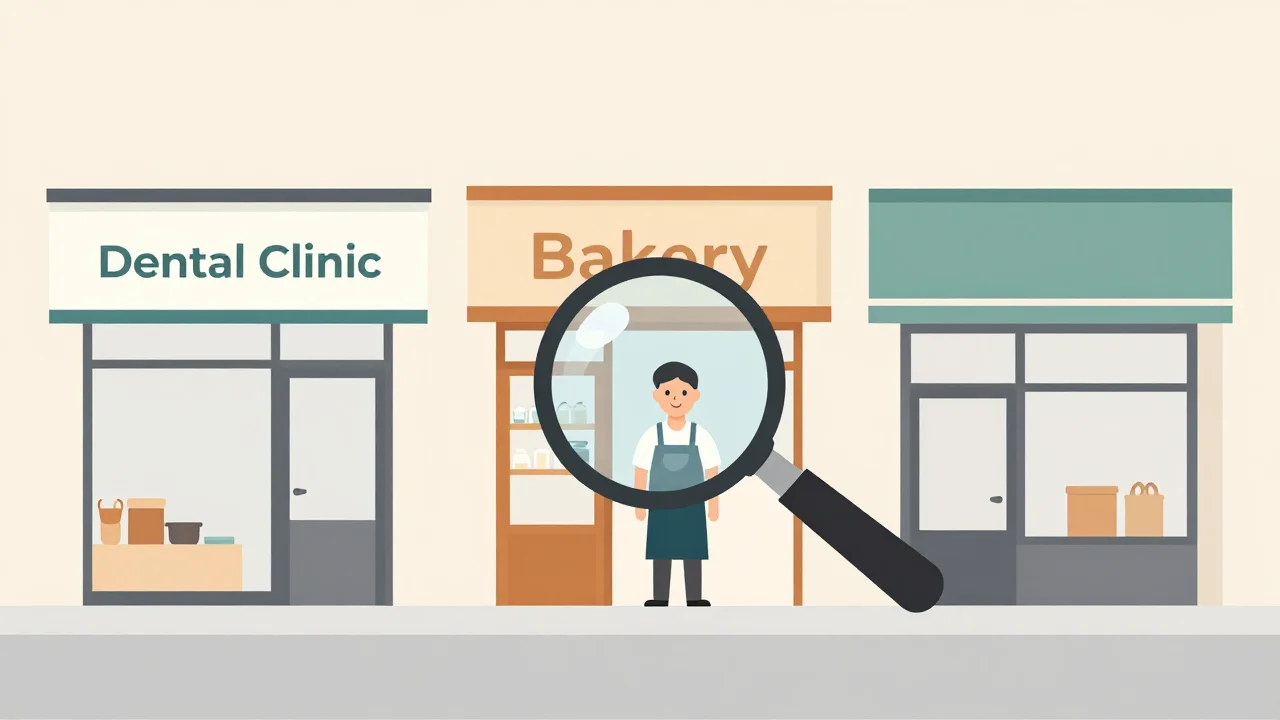
AI finds owners by reading the parts of a website where small businesses introduce themselves, then labelling the person's role. It works best on owner-operated businesses and worst on chains.
Where owner names usually appear:
- Founder stories on the About page
- Team pages with photos and titles
- Practitioner bios for dentists, lawyers, chiropractors and accountants
- Copyright lines or legal notices in the footer
- Author bylines on the business blog
Where AI struggles:
- Franchises and chains. The site is run by head office, so any name found is a corporate contact, not the local owner.
- Thin template sites. A single page with a phone number and a contact form gives the model nothing to read.
- Staff-only mentions. "Ask for Jenny at the front desk" is a name, but not a decision-maker.
- Multi-partner firms. A law firm with five named partners has several valid contacts, and you need to choose one.
Good tools tell you how sure they are about each name. Read owner confidence, explained to see how to use that score when you filter.
A practical rule: send your personalized sequence only to leads with a confident owner name. Route everything else to a separate sequence written for a general inbox. If a large share of your list comes back without names, see what to do when a lead has no owner name.
Emails, phone numbers and social profiles from the website
A business website usually holds more contact details than its Maps listing. AI collects them and sorts them by type and owner.
Emails
You will see two kinds. Role-based addresses like info@, hello@ and office@ go to shared inboxes. Personal addresses use a first name, a full name or initials.
Many small trades businesses list a personal Gmail or Outlook address instead of a domain email. For a plumber or a painter, that address often goes straight to the owner's phone, which makes it one of the most valuable fields in the list.
Phone numbers
The listing usually shows one number. The website may add a mobile number for an owner-operator, a separate line per location, or an after-hours number. For cold calling, a mobile listed by a one-person business beats a switchboard.
Social profiles
Links to Facebook, Instagram, LinkedIn and YouTube usually sit in the header or footer. They help in three ways:
- You can check whether the business is active before you spend a send on it.
- You get a second channel for follow-up.
- A recent post gives you a specific, honest opening line.
How accurate AI enrichment is, and how to check it
AI enrichment is only as accurate as the website it reads. There is no single honest accuracy figure across every niche, so measure it yourself on a sample before you trust a full list.
Common errors to watch for:
- Outdated pages. The About page still names the founder who sold the business years ago.
- Wrong person. A testimonial or a staff spotlight gets read as the owner.
- Designer credits. "Website by Jake at Example Studio" in the footer is not the owner.
- Guessed emails. Some DIY setups let the model invent firstname@domain when nothing is listed. Never send to an address that was not found or verified.
- Wrong location. Multi-location brands may list a manager for a different branch.
How to check a new niche:
- Pull 20 to 30 leads from the niche you plan to target.
- Open each website and compare the owner name and title against the About or Team page.
- Run every email through verification. Drop invalid addresses and set catch-all domains aside for a smaller, careful send. Here is why you should verify emails before sending.
- Count how many leads you would actually email. That is your usable rate for this niche.
- Repeat the test when you switch niches. Dentists and roofers build very different websites.
On Prospect Cheap's paid plans, email verification is one click, so step 3 does not mean exporting to a separate tool.
DIY AI workflows (n8n, scripts, ChatGPT) vs a built-in tool
You can build AI enrichment yourself. You need four parts: a source of Maps data, something to fetch each website, a language model, and somewhere to store the results. The real question is how much setup and upkeep you want to own.
The common DIY routes:
- n8n. A workflow loops through ZIP codes and categories, queries the Google Places API, fetches each website with an HTTP node, sends the text to an LLM node and writes rows to Google Sheets. You will need retry logic for rate limits and deduplication for businesses that appear in more than one ZIP code.
- A Python script. Same flow, more control. You also handle sites that load content with JavaScript, timeouts, blocked requests and messy HTML.
- ChatGPT by hand. Paste a website's text and ask who owns the business. Fine for ten leads, painful for a thousand.
| DIY workflow or script | Built-in AI tool | |
|---|---|---|
| Setup | Hours to days | Minutes |
| Running costs | API calls, LLM usage, hosting, sometimes proxies | One price per lead |
| Upkeep | You fix it when sites or APIs change | Handled by the tool |
| Verification | Separate service | Often built in |
| Sending to outreach tools | Build each integration | Direct push or CSV |
If you do build your own, the prompt matters most. This one keeps the model from guessing:
You are extracting contact data from a small business website.
From the text below, return JSON with: owner_name, owner_title,
emails (each marked personal or role-based), phones, social_urls.
Only use names and emails that appear word for word in the text.
Ignore names in testimonials, reviews and website design credits.
If no owner is clearly named, return null for owner_name.
Never construct or guess an email address.
Cost per usable lead: plain scraping vs AI enrichment
Plain rows cost less per row, but the number that matters is cost per lead you will actually contact. Work it out as total spend, including your own time, divided by leads that pass your filters.
Here is a worked example. The numbers are illustrative, so swap in your own from the sample test above.
- A run returns 1,000 businesses.
- Plain scraper: say 650 of them have websites. To find owners, you research them by hand. At three minutes per lead, 650 leads take about 32 hours.
- AI-enriched: the same 1,000 rows arrive with owner names, emails and socials already filled in wherever the website had them. Say 400 come back with an email that passes verification and 250 with a confident owner name.
The formula:
Cost per usable lead = (tool spend + hours spent × your hourly rate) ÷ leads you will contact
For most people doing cold email, the hours are the biggest line. Even at a modest hourly rate, 32 hours of manual research costs far more than the data.
Prospect Cheap charges one credit per lead found, with monthly plans from $29 and 150 free credits to start. That is enough to run the 20 to 30 lead accuracy test in two or three niches before you pay anything.
When AI is worth it and when a plain list is enough
AI enrichment pays off when your outreach needs a named person. A plain list is enough when you will reach the business through its front door, by phone or in person.
AI enrichment is worth it when:
- You run cold email and want to reach owners, not shared inboxes.
- Your offer is high-ticket, such as monthly retainers, websites or software, where one reply covers the cost of the list.
- You personalize the first line and need something real to reference.
- You sell to owner-operated niches like trades, clinics, salons and small law firms.
A plain list is enough when:
- You cold call and plan to ask the front desk for the owner.
- You do door-to-door or drop-in visits.
- You target businesses without websites, where AI has nothing to read.
- You only need a map of the market, such as counting competitors or plotting a territory.
Getting AI-enriched Google Maps leads into your outreach
Filter first, verify second, then send the leads straight into your sequencer with the name fields mapped. Enriched data only helps if those fields reach your templates.
- Filter. Keep leads with a confident owner name and a verified email for your main sequence. Put role-based and catch-all emails in a second, lower-volume sequence.
- Segment. Split by category and city so each sequence speaks to one kind of business.
- Map fields. At minimum, map first name, company, city, category and rating to custom variables.
- Send. Prospect Cheap pushes leads straight to GoHighLevel, Instantly, Smartlead or lemlist, exports a CSV, or serves them through a REST API and an MCP server for AI assistants. For a step-by-step walkthrough, see how to send Google Maps leads to Instantly.
- Write to the fields you have. Use the enriched data in the first two lines, not just the greeting.
A simple opener that uses enriched fields:
Subject: {{company}} in {{city}}

Hi {{first_name}},

I was looking at {{category}} businesses in {{city}} and saw that
{{company}} has {{review_count}} reviews at {{rating}} stars.

[One line about something specific from their site or a recent post.]

[One line on what you do and the result you get for similar businesses.]

Worth a quick look?
For leads without an owner name, rewrite the opener for a shared inbox. Ask whoever reads it to pass the email to the owner, and keep the message short enough to forward.
Next steps
- Pick one niche and one city you want to sell into.
- Pull 20 to 30 leads with AI enrichment and check owner names against each website.
- Verify the emails and work out your usable rate and cost per usable lead.
- If the numbers hold up, scale to more cities and push the leads straight into your sequencer.
- Keep a plain list for phone and walk-in outreach where a named contact does not matter.